
Snap the receipt. AI splits the bill.
The AI reads every item and splits exactly what each person had — with the tip shared proportionally, not per head. In seconds, no jotting it all down by hand.
No download: scan a receipt free right here in your browserNo accounts, no sign-up · no email, no passwords



No account needed
Open it and go. No sign-ups, no passwords.
Easy to use
From photo to totals in under a minute.
AI reads your receipt
Handles crumpled receipts and crooked columns.
Fair, automatic tip
Split in proportion to what each person had.
Split by piece
Split pieces exactly among who shared them.
The whole table at once
Everyone taps what they had from their own phone.
From photo to "everyone pays their share"
Four steps and done. Really.
Take the photo
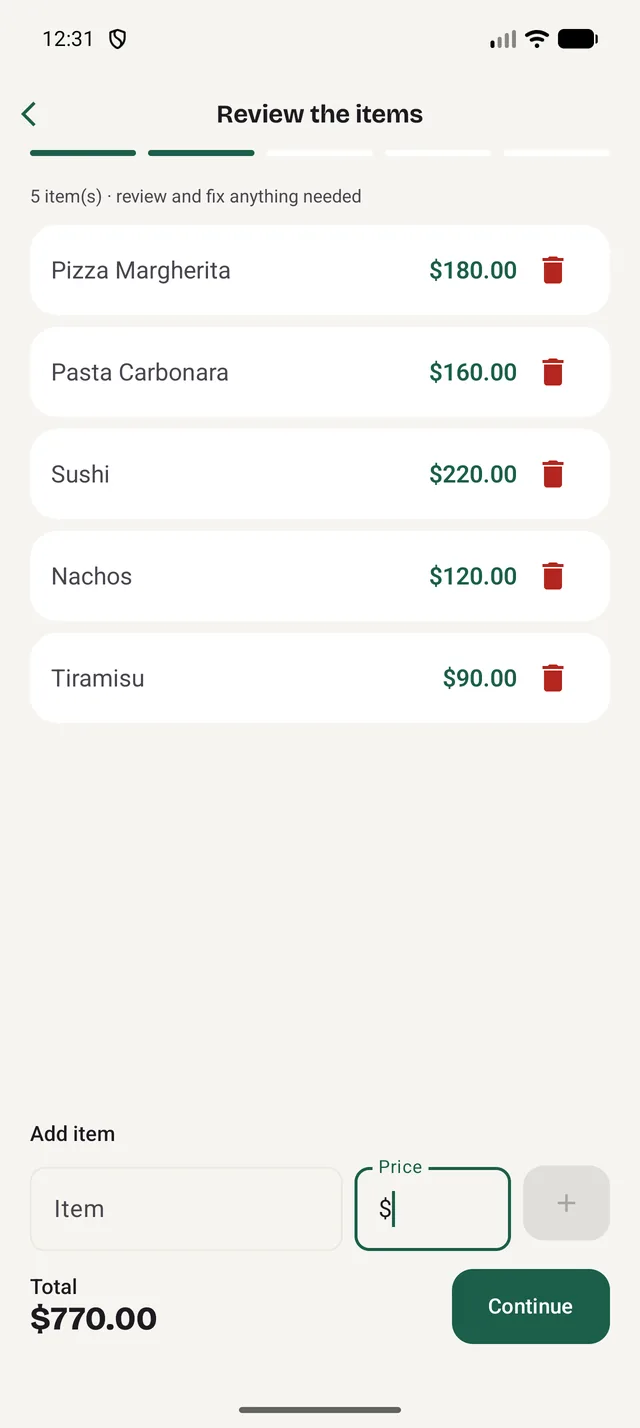
AI detects the items and prices on the receipt.
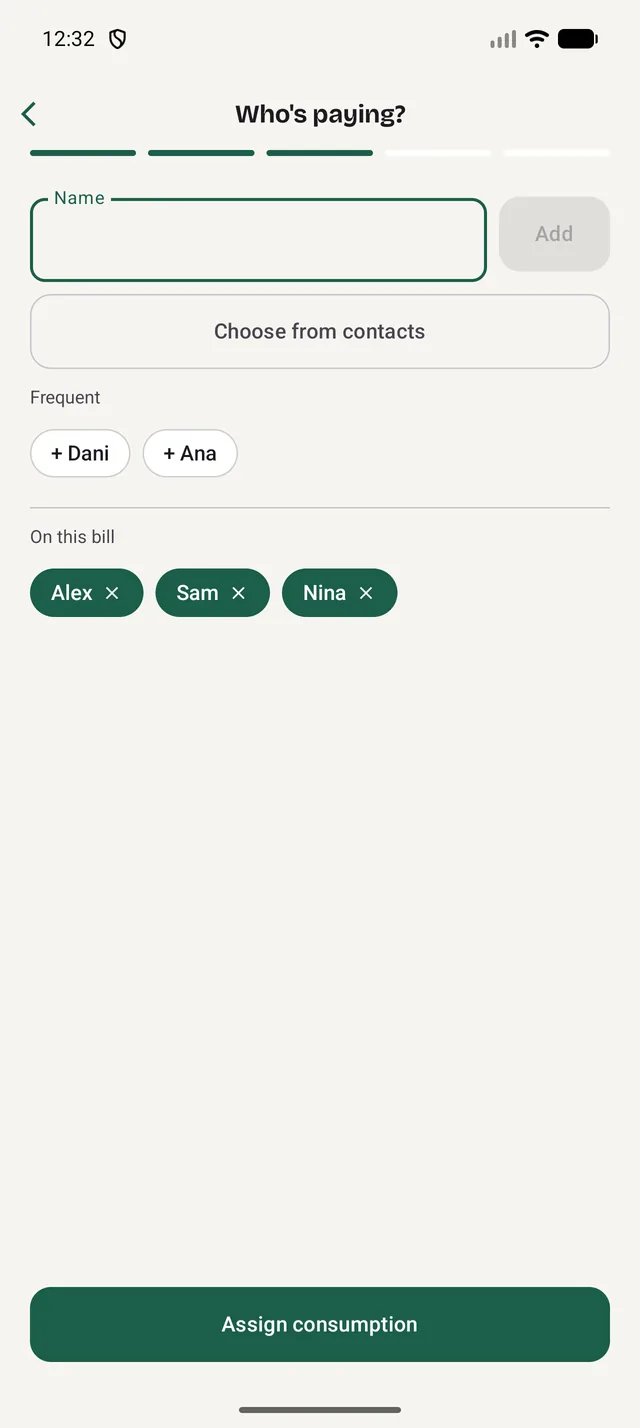
Add the table
Add the people sharing the bill.
Assign each item
One by one or "by person" — to whoever ordered it.
Done
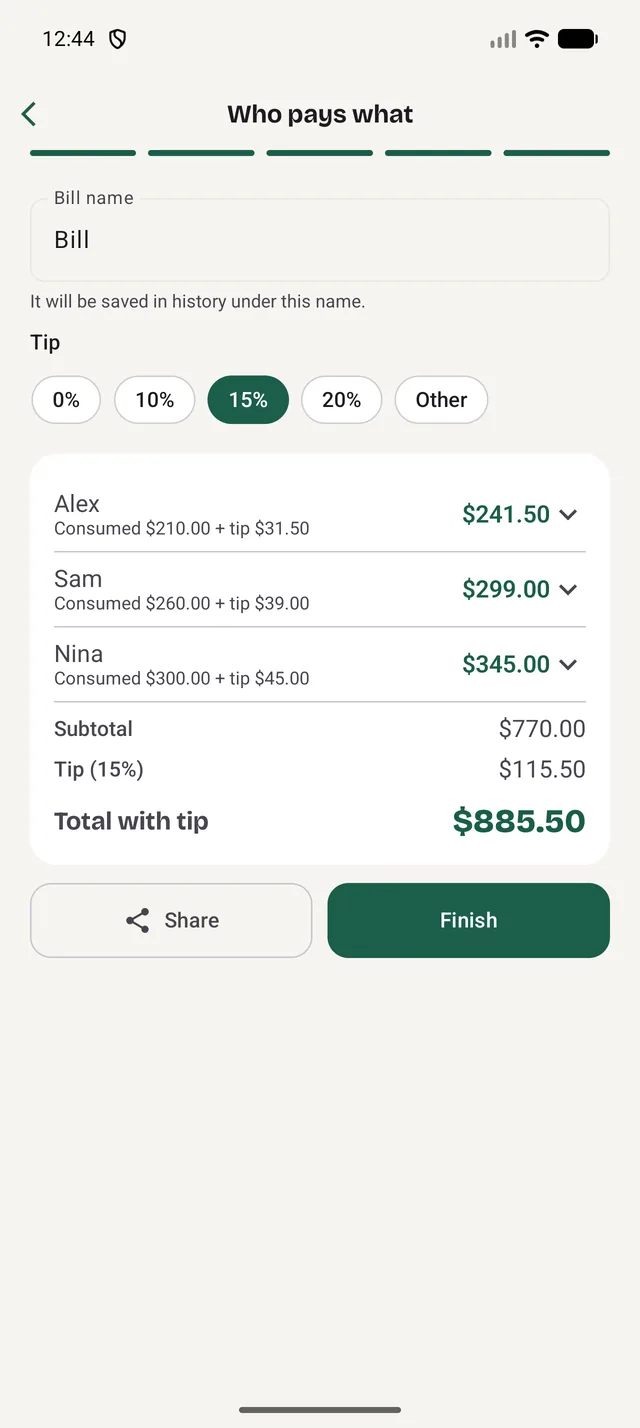
Everyone sees their total, tip included.
Everyone marks their own, at once
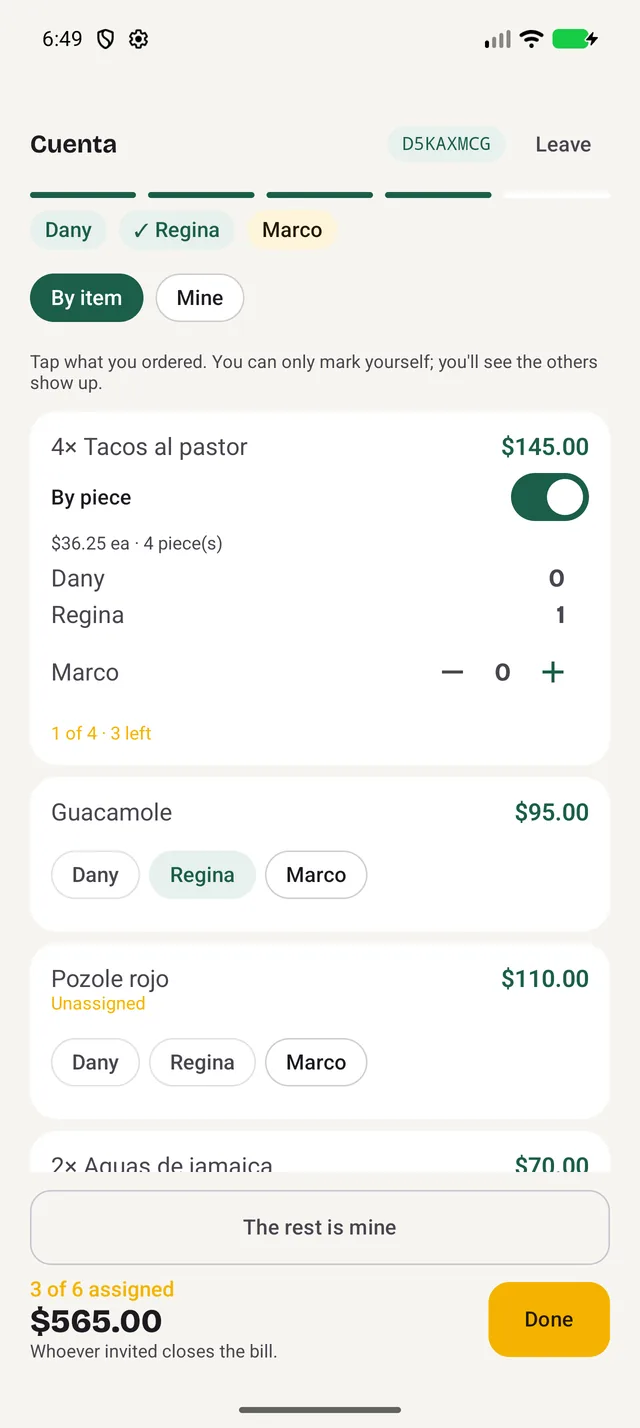
The bill lands, you open the table, and a QR pops up. Everyone joins from their own phone and you watch the dishes get claimed in real time — no passing the phone around, no reading prices out loud.
 Live
Live
Open the table
A QR and an 8-letter code. No app? It downloads in a minute — or just read them your code.
Everyone marks their own
From their own phone, by item or by piece. Each person sets their own tip and taps "Done".
Close it without arguments
Everyone sees exactly what they owe, tip included. And joining someone else's table is always free.
AI reads your receipt
Snap a photo — every item with its price, even on crumpled receipts.
Everyone pays their share
What each person had + their fair share of the tip, no arguments. Share it in one tap.
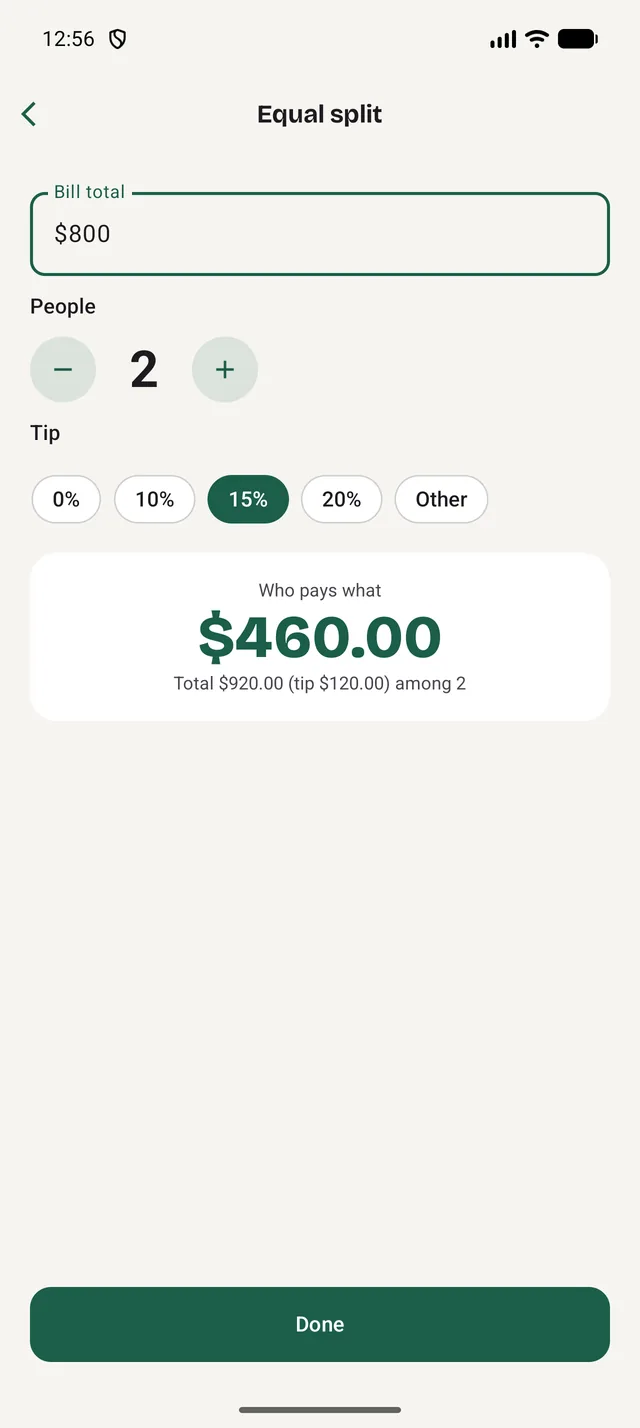
Halves? One tap.
Enter the total, pick the tip, and everyone sees their share.
Your table ready in seconds
Type a name or pull it from your contacts. No weird permissions.
Free forever. Premium if you want more
Start for free. The basic scanner is unlimited and you get 5 AI scans a month.
Free
- 5 AI scans a month
- Unlimited basic scanner
- Even split and tip
- History on your phone
Premium
- Scans with AI
- Everything in the free plan
- Weekly, monthly or annual subscription
- You support the app's development
Quick answers about splitting the bill
How do I split a restaurant bill with SplitTicket?
Snap a photo of the receipt and the AI detects every item and its price. Assign who ordered what —or split evenly—, add the tip, and the app instantly calculates what each person owes.
Is SplitTicket free?
Yes. Splitting the bill is free forever. Premium adds more AI scans and more shared bills per month; joining someone else's shared bill is always free, even without Premium.
Do I need an account or sign-up?
No. Open the app and use it right away: no sign-ups, no passwords, no email. Your history is saved on your phone; only what you share with the table travels, so everyone sees the same bill.
How does it split the tip?
The tip is split in proportion to what each person had, so whoever ordered more pays a bit more tip. You can also adjust the percentage.
Can I split by item and evenly?
Yes. Assign each item to whoever ordered it, share a dish among several people, split by piece, or divide the whole bill evenly.
What phones does it work on?
SplitTicket works on iPhone (iOS) and Android. Download it on the App Store and on Google Play.

Your next bill, split in seconds.
Download it on the App Store or Google Play — ditch the calculator.